
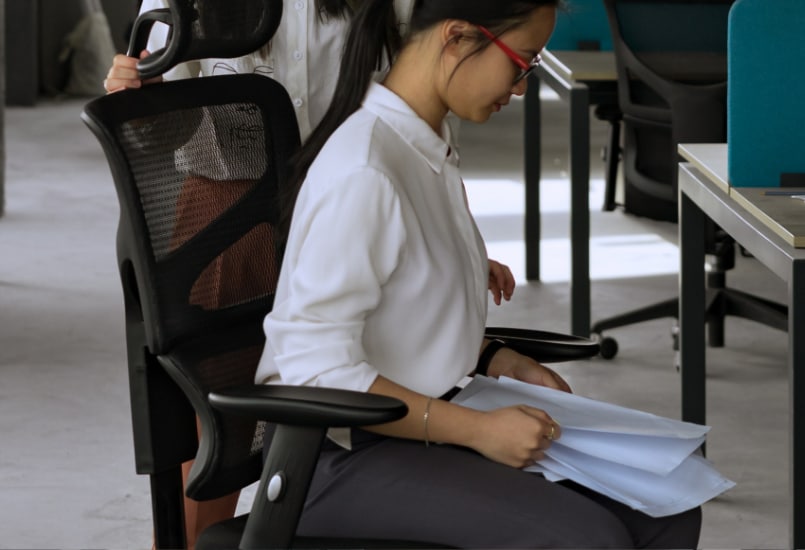
Your office chair has witnessed things your manager never will. It has seen you stare at the same spreadsheet for 40 minutes, open your email 17 times without answering anything important, and spend an entire afternoon preparing to begin a task that should have taken 20 minutes. It has supported your ambitions, endured your deadlines, and collected crumbs from lunches you insisted were too busy to take away from your desk.
If your chair could talk, it probably would not ask how your weekend went. It would ask why you have been sitting in the same position since breakfast and whether that presentation is ever going to get finished.
Welcome to the world of sentient seating, where your chair becomes an imaginary workplace observer with a sharp tongue and an excellent memory. While office chairs cannot actually read your thoughts or measure your productivity, your sitting habits reveal something important about how you work. Perhaps the most uncomfortable performance review you receive this year will come from the furniture beneath you.
_20261014_cQ7VX9Ra.png "man slumped on chair looking tired (1).png")
The Weight and Pressure Log: Your Chair Knows How the Day Really Went
At 9 a.m., you sit down with the confidence of someone who has watched three motivational videos and written a perfectly reasonable to-do list. Your feet rest flat on the floor, your back meets the backrest, and your coffee is within reach. Today, you promise yourself, it will be different.
By 11 a.m., one leg has disappeared beneath you. By 2 p.m., your shoulders are creeping toward your ears, your lower back has abandoned the backrest, and your face is practically inside your laptop. Your chair has watched your posture change from organized professional to a human question mark.
This gradual shift is common during long periods of desk work. When people concentrate, they may forget to move, allowing muscle fatigue and discomfort to build. Even a well-aligned position becomes less comfortable when maintained for too long.
Then comes the evidence in the cushion seams: crumbs from a working lunch, a coffee stain, and an occasional snack wrapper. Your chair has no opinion about your dietary choices, but it might question your definition of a productive lunch.
Decoding Your Productivity Moves: The Science of Office Procrastination
Your chair may not understand your job description, but it has witnessed every creative way you avoid doing your work.
Consider the micro-recline. You lean back slightly, promising yourself a short mental break before tackling a difficult report. One video becomes three, and suddenly you know how someone renovated a farmhouse in rural Norway. The report remains untouched.
Then comes the panic-pivot, that sudden swivel when a colleague approaches your desk or your video meeting unexpectedly requires the camera to be switched on. Your chair spins with the speed of someone trying to make an open browser tab disappear through sheer willpower.
The most suspicious movement, however, is the fake typing rhythm. Your fingers begin with impressive energy, then fall silent as your attention moves to your phone.
These habits are not necessarily signs of laziness. Procrastination can arise from stress, uncertainty, boredom, or the discomfort of starting a demanding task. Digital distractions make avoidance especially easy because they offer immediate entertainment while allowing important work to wait.
The solution is not to treat every break as a crime. Short breaks can support concentration. The trick is to take them intentionally rather than allowing a five-minute pause to consume an entire afternoon.
Your Chair's Performance Review: Attendance Is Not Achievement
First, attendance versus output. You have occupied this chair for nine hours, attended four meetings, and sent two emails. Your chair would like an explanation of the mathematics.
Second, physical abuse. Your armrests were designed to support your arms, not absorb the full weight of your shoulders while you contemplate a deadline. Your lumbar support was not installed to serve as a substitute for getting up and moving.
Third, meeting engagement. Reclining during a long presentation is not automatically a sign of disengagement. A supported recline can be comfortable for many people. However, if you have spent the last 30 minutes staring at the ceiling while someone explains quarterly targets, your chair suspects the meeting has lost you.
Here is the educational part of this imaginary review: time spent at a desk is not the same as productive work. Task switching can interrupt concentration, while prolonged sedentary behavior is associated with health concerns. Sitting itself is not a personal failure, but spending most of the day motionless deserves attention.
A better performance metric is not how long you remain in your chair. It is whether your work environment helps you concentrate, complete meaningful tasks, and maintain comfort throughout the day.
Your chair would like that recorded in the next quarterly report.
_20261014_llCtsn3G.png "woman standing beside office chair (1).png")
The Ultimatum: Stand Up Before Your Chair Files a Complaint
At some point, even the most patient office chair deserves a break from your body weight.
The imaginary ultimatum is simple: stand up, move around, and stop treating your desk as the center of the universe. Your chair is not asking you to abandon your career and take up mountain climbing. It is asking you to remember that your body needs movement.
Start with small changes. Take a five-minute walk between demanding tasks. Stand while taking a phone call when appropriate. Stretch your legs during a break, refill your water bottle, or walk to a colleague instead of sending another message.
Frequent movement breaks help interrupt long periods of sitting, while regular physical activity supports overall health. You do not need an elaborate routine to begin. A few minutes of movement, repeated throughout the day, can make a sedentary workday less continuous.
And please stop turning the chair's tension knob every time you feel overwhelmed. Adjusting the recline resistance can improve comfort, but it will not resolve a difficult project, answer an unanswered email, or make an unrealistic deadline disappear.
Your chair can support your working position. It cannot organize your calendar, negotiate with your manager, or convince you to close 26 unnecessary browser tabs.
That part remains your responsibility.
Better Sitting, Better Working: What Ergonomics Actually Means
Ergonomics is the practice of designing tools, equipment, and workspaces around the people who use them. In an office, that means making the chair, desk, monitor, and keyboard work together to support comfort and efficient movement.
Begin with your feet. Ideally, they should rest flat on the floor or on a footrest, with your knees positioned comfortably. Adjust the seat height so your thighs are supported without excessive pressure behind your knees. Your backrest should support your back, particularly the lower-back region, without forcing you into an uncomfortable position.
Next, consider your arms and screen. Keep your shoulders relaxed, your elbows near your sides, and your keyboard and mouse within easy reach. Position your monitor so you can view it comfortably without repeatedly bending your neck forward.
Remember that ergonomics is not about holding your body in one rigid, perfect pose. People have different body proportions, work tasks, and comfort needs. The goal is to find a supportive setup that allows you to change positions naturally.
A good chair makes these adjustments easier, but no chair can compensate for every poor workspace habit. Combine suitable seating with regular movement, comfortable screen placement, and opportunities to stand.
Your chair would call this a reasonable workplace policy. Your back might agree.
Meet the FlexiSpot C7 Morpher: Support That Moves With You
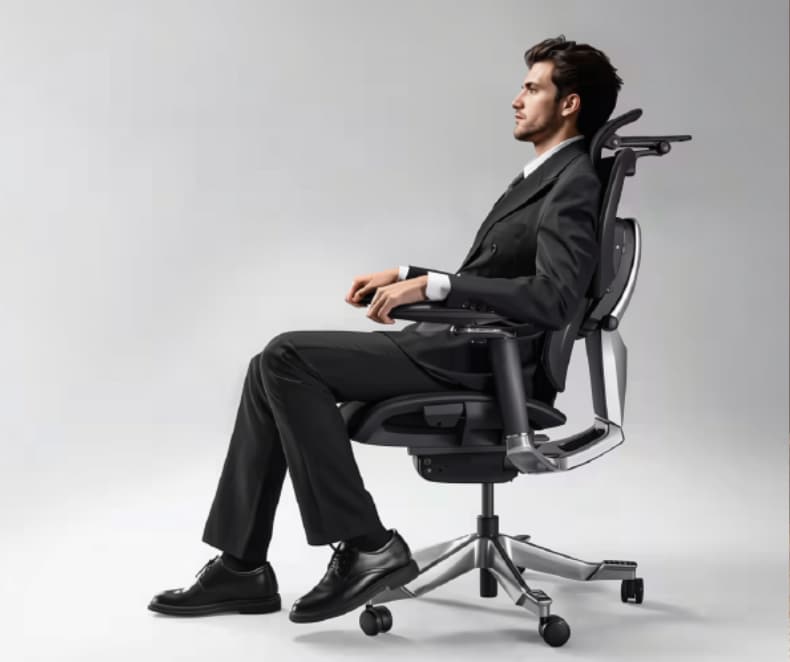
If your chair could submit a furniture upgrade request, it might recommend the FlexiSpot Premium Back Support Ergo Chair C7 Morpher. Designed with adjustable support features, it addresses a familiar office problem: finding a comfortable sitting position and maintaining back support as your body moves throughout the day.
Its Flexlean™ forward-tilt technology allows the backrest to tilt forward by up to 10 degrees. This feature is designed to provide upper-back support when you lean toward your desk, helping you maintain a more comfortable position during tasks that require close attention.
The Flexlide™ backrest moves with you as you shift, offering support through different sitting positions rather than leaving you to work around a fixed backrest. For people who regularly alternate between typing, reading, and leaning back to think, this movement can make the chair feel more responsive.
The C7 Morpher also features AirLumbar™ support, which can be inflated or deflated to adjust support around the lower back. Its adjustable backrest height allows users to position the support according to their needs.
These features matter because ergonomic comfort depends on fit and adjustability, not simply appearance. A chair that allows you to fine-tune its support can help create a workspace that better suits your body.
Of course, the best chair is the one that feels right for you. Take time to adjust its settings rather than expecting every feature to work perfectly straight out of the box.